If you’re tired of juggling multiple security company contracts or waiting for technicians to schedule installations, SimplySafe might be the answer. It’s a wireless, DIY-friendly alarm system that lets you take control of your home’s security without calling in professionals. Whether you’re protecting a small apartment or a sprawling house, SimplySafe offers modular components you can install yourself, no wiring, no permits, no headaches. This guide walks you through how it works, what you get, and whether it’s the right fit for your home.
Table of Contents
ToggleKey Takeaways
- SimplySafe is a wireless, DIY-friendly alarm system that eliminates the need for professional installation, contracts, and landline fees, making it ideal for renters and homeowners seeking affordable home security.
- The system uses cellular and Wi-Fi connectivity with real-time mobile app alerts, allowing you to arm, disarm, and monitor your home remotely from anywhere.
- Installation is straightforward and takes 1–2 hours with basic tools; sensors mount using adhesive strips or screws without any hardwiring or wall damage.
- SimplySafe offers flexible month-to-month monitoring plans ($14–$30/month for professional monitoring or free self-monitoring) with no long-term contracts, unlike traditional alarm companies.
- Modular sensor components (entry, motion, glass break detectors) and voice assistant integration let you customize your security setup and expand as needed.
- SimplySafe works best in homes with reliable Wi-Fi and cellular coverage; coverage verification is recommended before committing to professional monitoring.
What Is SimplySafe and How Does It Work?
SimplySafe is a wireless, self-monitored or professionally monitored alarm system designed for the DIY crowd. Unlike traditional hardwired systems, it uses cellular and Wi-Fi connections rather than landlines, so you can arm and disarm it from your phone even when you’re away.
Here’s the basic flow: sensors (door/window, motion, glass break) communicate wirelessly with a central control hub. When a sensor is triggered, the hub alerts you via app notification. If you subscribe to professional monitoring, SimplySafe’s team gets notified and can contact emergency services on your behalf. If you opt for self-monitoring, you’re responsible for calling 911 or responding to alerts yourself.
The system uses cellular backup in case your Wi-Fi goes down, so you won’t lose coverage during an outage. No dependence on landlines means no extra monthly fees tied to phone service, a practical win for renters and homeowners alike. Installation is straightforward: place the hub in a central location, stick wireless sensors on doors and windows, and activate them through the app.
Key Features and Equipment Overview
SimplySafe offers a modular approach, meaning you buy what you need and expand later without ripping out walls or calling electricians.
Sensors and Detectors
The system includes several sensor types you can mix and match:
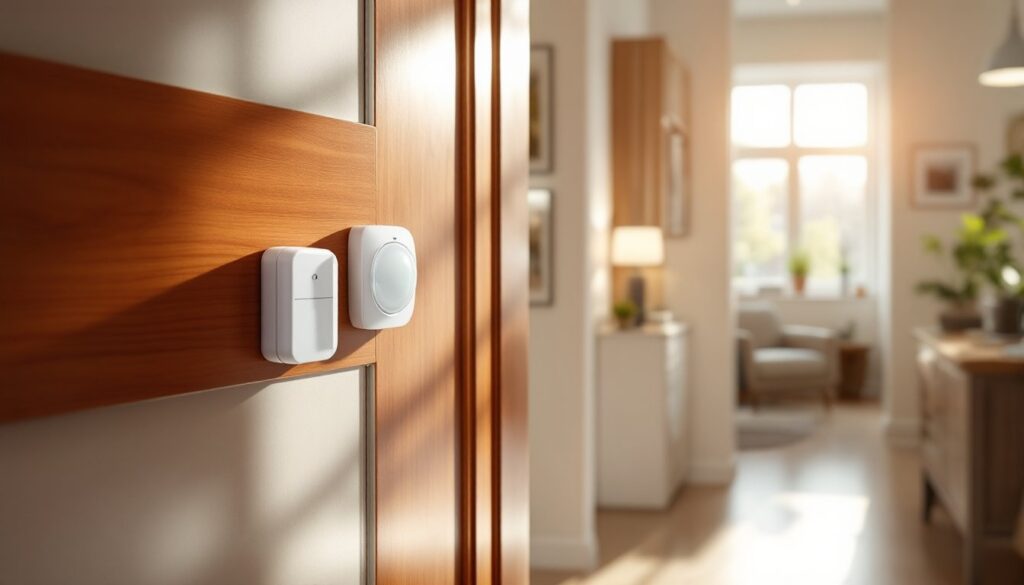
- Entry sensors (door/window): Small, battery-powered wireless units that stick on doors and windows using adhesive strips or screws. They trigger when the magnetic connection breaks, useful for catching forced entries.
- Motion detectors: Passive infrared (PIR) sensors that detect body heat. They’re ideal for interior monitoring and can be pet-immune up to a set weight (typically 40–80 pounds).
- Glass break detectors: Acoustic sensors that listen for the frequency of breaking glass, adding a layer of detection beyond simple door sensors.
- Keypads: Wireless remotes for quick arm/disarm without reaching for your phone. Helpful for anyone who prefers physical control.
All sensors run on standard AA or coin-cell batteries, and SimplySafe sends alerts when battery levels are low. No hardwiring, no conduit running through walls, just adhesive strips or small screws into studs if you prefer a more permanent mount.
Control Panel and Mobile App
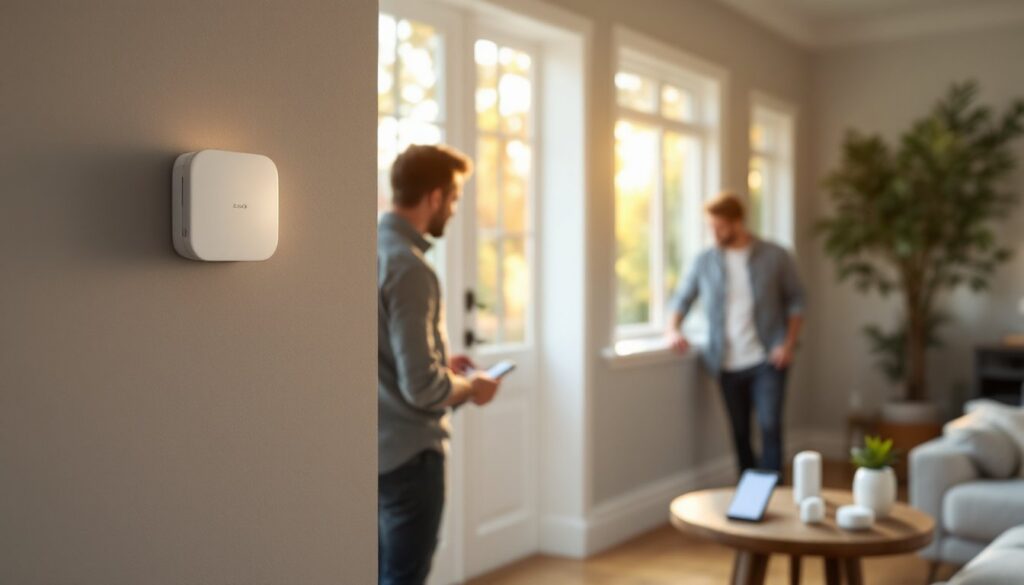
The control hub is a compact device (roughly the size of a router) that connects to your Wi-Fi and cellular network. It processes sensor signals and manages your system settings. The real brains, though, is the mobile app: you arm/disarm remotely, receive real-time alerts, check sensor status, and review activity logs all from your phone.
The app integrates with voice assistants like Alexa and Google Home, so you can voice-control your system if you’ve set that up. This matters if you’re an enthusiast who likes a unified smart home ecosystem. Unlike systems that require proprietary hubs or complex integrations, SimplySafe’s compatibility keeps things flexible. You’ll notice response times are typically quick, alerts arrive within seconds, and professional monitoring dispatch happens in minutes if triggered.
Installation and Setup: The DIY Advantage
This is where SimplySafe shines for the DIY crowd. Installation is genuinely something one person can handle in an hour or two, with no special tools beyond a spirit level and a drill (if you choose to screw sensors down).
Materials and Tools You’ll Need:
- Control hub and sensors (included in your kit)
- Wi-Fi-enabled router (usually already in your home)
- Pencil and tape measure
- Optional: drill, small wood screws, spirit level
- Optional: painter’s tape for temporary positioning before final placement
Installation Steps:
- Unbox everything and charge the hub if applicable (some come pre-charged).
- Place the hub in a central, elevated location, a shelf in a hallway or bedroom works well. Avoid enclosed spaces or metal enclosures that can block signal.
- Power it on and connect it to your home Wi-Fi through the app.
- Plan your sensor placement. Start with entry points: exterior doors, basement windows, garage doors, and accessible windows on ground floors. Draw a quick map if your home is large.
- Use the app to add sensors. As you add each one, SimplySafe walks you through setup on the device itself.
- Test each sensor by breaking the magnetic connection (opening a door, moving in front of a motion detector) to confirm it triggers.
- Adjust sensitivity settings on motion detectors if needed, pet immunity, range adjustments, all done through the app.
- Install a backup battery or power supply for the hub if you want extra redundancy during power outages (optional but smart).
Mounting is your choice: adhesive strips for renters, screws for permanent installations. If you’re drilling into studs (always safer than drywall alone), use #6 or #8 wood screws about 1 inch deep. The sensors are lightweight, so they won’t pull free with small fasteners.
Wear safety glasses if drilling overhead. It takes 30 seconds per sensor, but the peace of mind is worth it. One reminder: SimplySafe sensors work on standard frequencies that are unlikely to interfere with other devices, but if you live in a dense apartment building or near military installations, test coverage before committing to long-term monitoring contracts.
Pricing, Monitoring, and Flexibility
SimplySafe pricing is transparent, a refreshing change from traditional alarm companies. You purchase your hardware outright (usually $200–$500 for a basic starter kit depending on kit size) and then choose a monitoring plan.
Monitoring Options:
- Self-monitoring: Free. You get alerts on your phone and decide when to call 911.
- Professional 24/7 monitoring: Typically $14–$30 per month depending on your location and plan features. Professional monitoring means SimplySafe’s response team can dispatch emergency services if you can’t.
Compare this to traditional monitored systems that often charge $50+ monthly plus installation fees. The flexibility is key: unlike contracts that lock you in for 3–5 years, SimplySafe’s monitoring is month-to-month. Don’t need it for a few months? Pause it and restart later. Relocating? Use your system in your new place (as long as it’s compatible with SimplySafe’s coverage area).
Secondary features like app notifications, activity logs, and voice integration are included. Some third-party integrations (like smart home automation platforms mentioned in reviews) offer additional functionality if you’re building a larger connected home ecosystem. Recent home security comparisons on technology sites consistently note SimplySafe’s value for renters and DIYers who want flexibility without long-term commitments.
One caveat: if you switch to professional monitoring partway through, SimplySafe doesn’t charge setup fees, but you may need to verify your address and account details. Also, if your Wi-Fi or cellular signal is unreliable, consider wired systems as an alternative for more consistent performance. SimplySafe works best in homes with decent broadband and cellular coverage.
Conclusion
SimplySafe delivers on its promise: practical, affordable home security that you install yourself. No contractors, no contracts, no surprise fees. Whether you choose self-monitoring or professional support, you’re in control. For homeowners and renters tired of traditional alarm company complexity, it’s worth testing. Start with a starter kit, add sensors as needed, and decide on monitoring based on your comfort level. Real security doesn’t require a sales pitch, just honest equipment and clear pricing.